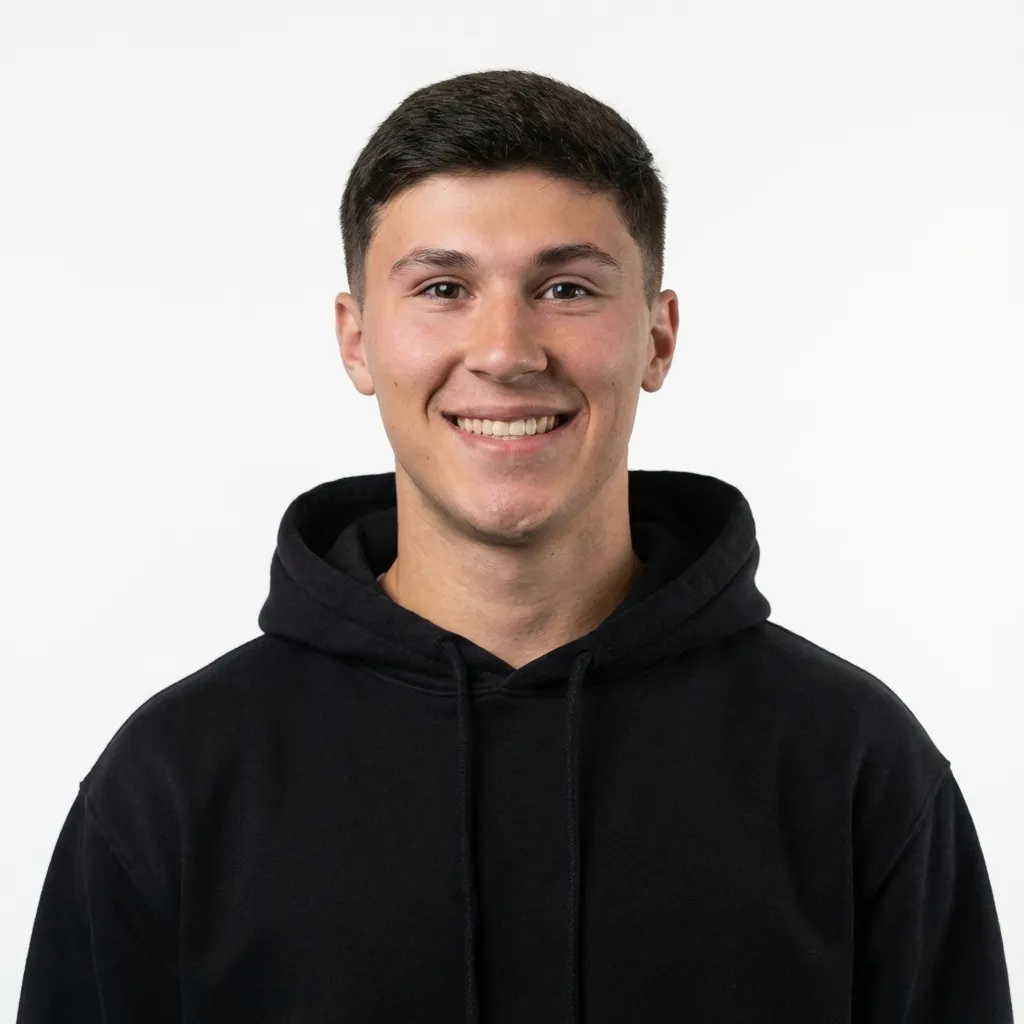
Start with the right selfie
You only need one photo. All 5 codes work from the same selfie, and a good one makes every result better.
- Hold your phone at arm's length. Your face should be big in the frame, with your head and shoulders showing.
- Face a window. Soft, even light helps the AI keep your face looking like you.
- Look right at the camera. No sunglasses, no hat, no hand over your face.
- Skip the filters. Use the original photo, not a screenshot or a Portrait mode blur.
The 5 image codes
/disposable
This one makes your photo look like it came from a cheap old film camera.
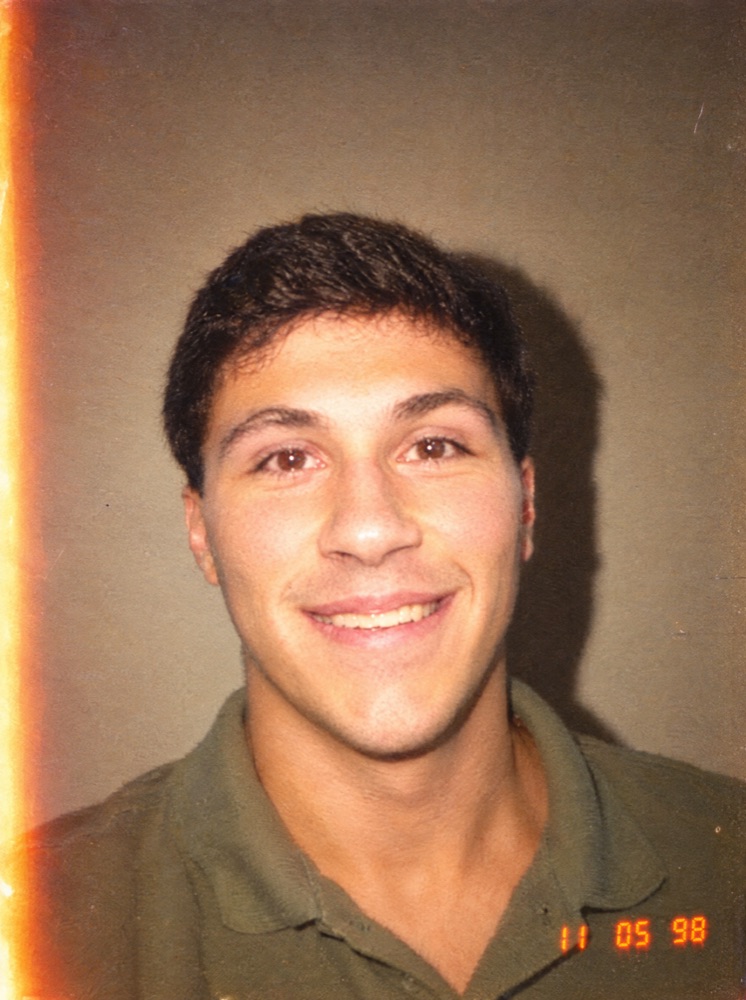
Remake this photo as if it was taken on a cheap disposable film camera in the late 1990s. Keep this person's exact face, features, age, skin tone, hair and clothing. Harsh direct on-camera flash that slightly overexposes the face, a deep shadow cast on the wall behind them, coarse warm film grain, faded warm colours, slightly soft focus, a little light leak on one edge, imperfect candid framing, and a bright orange digital date stamp in the bottom right corner. Must look like a real scanned film print, with no modern HDR or sharpness.
/albumcover
This one turns your photo into a real album cover with your name and a title. Swap in your name and your title before you send it. I used ZACH GELEOTT and AI-MAXXING.
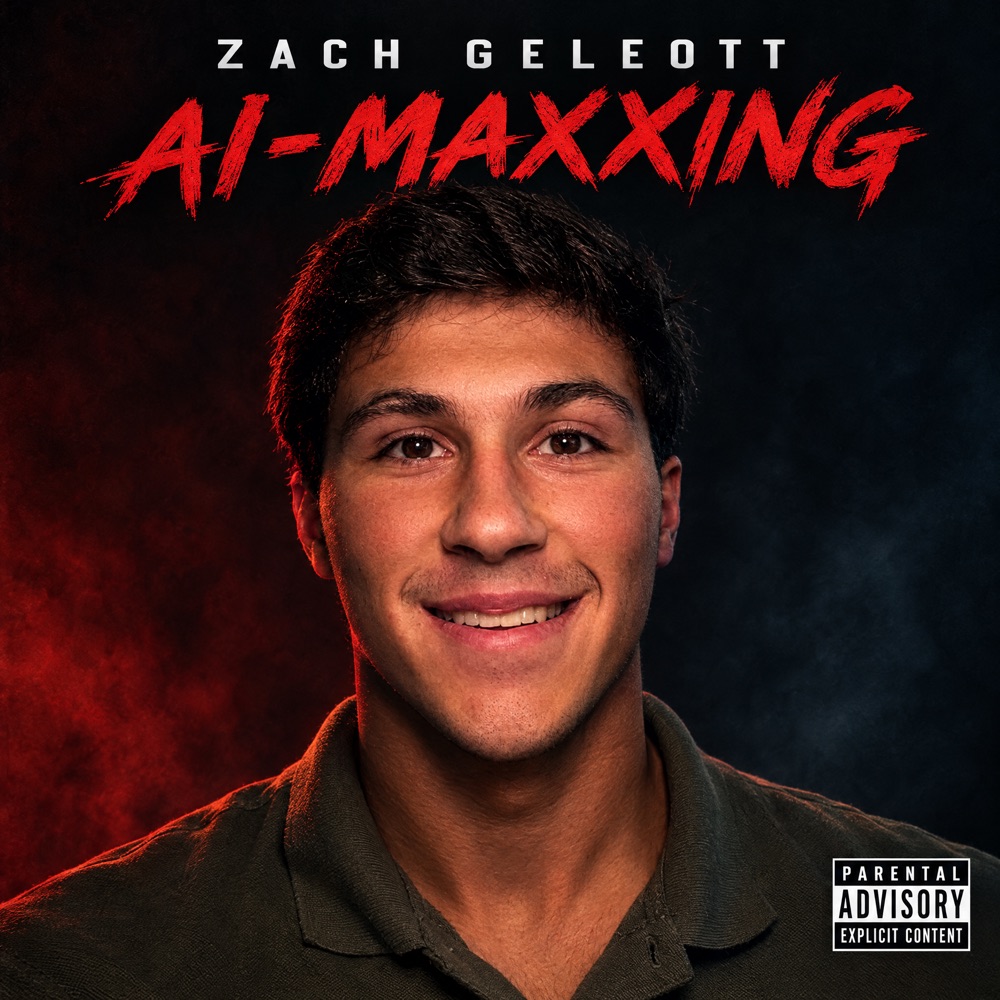
Turn this photo into a real, professionally designed album cover. Keep this person's exact face, features, age, skin tone, hair and clothing. Dramatic moody studio lighting with a deep colour grade, shot like a high-end album portrait. Artist name '[YOUR NAME]' and album title '[ALBUM TITLE]' set in bold, tasteful, modern typography, spelled exactly like that and perfectly legible. In the bottom right corner, the classic black and white 'PARENTAL ADVISORY EXPLICIT CONTENT' label. Square cover art that looks like it is on Spotify right now.
/minecraft
This one rebuilds your whole photo in Minecraft.
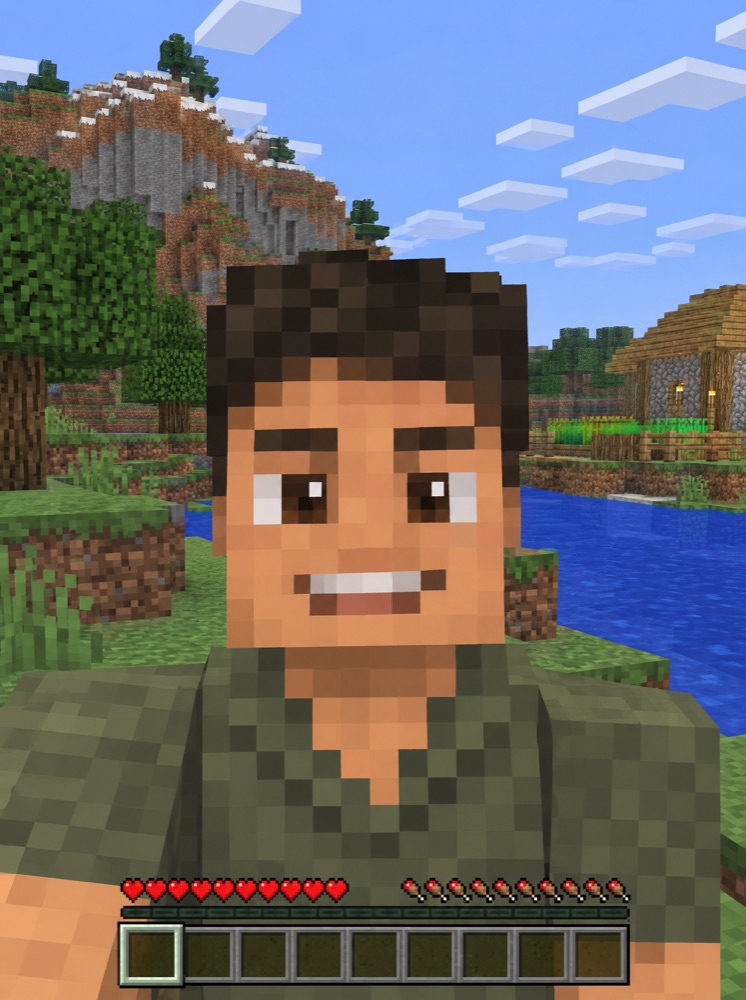
Rebuild this entire photo as an in-game Minecraft screenshot. This person becomes a blocky Minecraft player character with a pixelated skin that clearly matches them: their hair, eye colour, skin tone, expression and clothing. The background and everything around them are made of real Minecraft blocks with pixelated textures. Same framing as the original photo. Authentic Minecraft lighting and voxel geometry, everything made of cubes. Must look like an actual screenshot from the game, not a realistic person with a filter.
/cctv
This one makes it look like a security camera caught you.
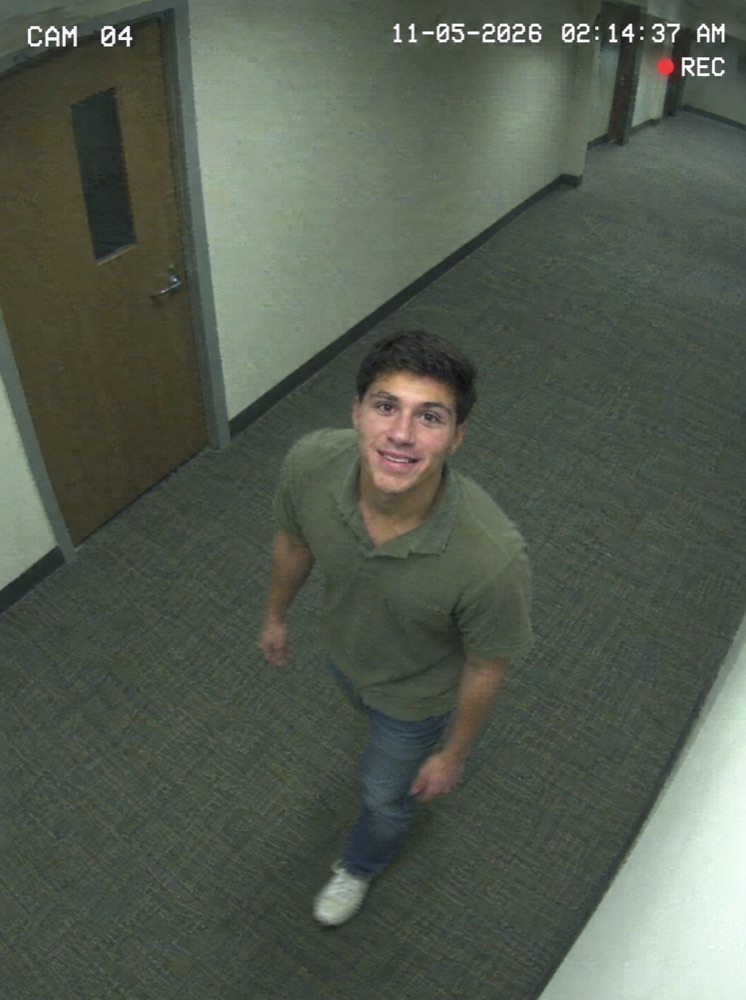
Remake this as a still from a real security camera. Keep this person's exact face, features, hair and clothing, but seen from a high corner ceiling angle looking down at them, as they walk through a plain office hallway and glance up at the camera. Wide-angle security lens distortion, grainy low-resolution footage, washed-out greenish fluorescent colour, slight motion blur, compression artifacts. White blocky overlay text in the top left reading 'CAM 04' and a date and time in the top right, with a small red 'REC' dot. Must look like real leaked CCTV footage.
/fisheye
This one makes your photo look like it was shot through a super wide lens.
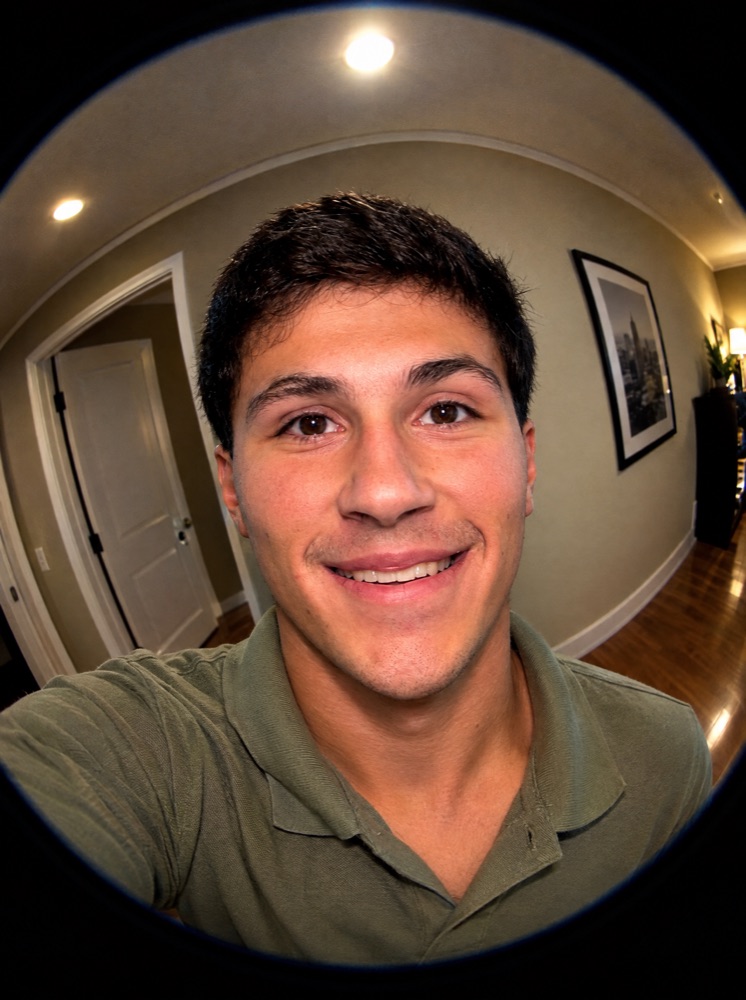
Remake this photo as a stylish selfie shot on a real fisheye lens at arm's length. Keep this person's exact face, features, skin tone, hair, expression and clothing. The face stays flattering and natural with its true proportions, only slightly larger toward the center of the frame, with no bulging nose, no stretched cheeks and no cartoon distortion. Put the strong curve at the edges of the frame instead: the room, ceiling lights, doorway and wall lines bend dramatically around the person, with dark circular vignette edges from the lens. Crisp, vivid, high-contrast 2000s music video look.
In ChatGPT: make the codes stick

ChatGPT has no built-in /fisheye command. It just reads the word and takes its best guess. Teach it the codes once and you can upload a photo and type only the code from then on.
- Open your settings. In ChatGPT, go to Settings → Personalization → Custom Instructions.
- Paste the block below and save. If you already have instructions in there, add this to the end.
- Start a new chat. Upload a selfie, type
/fisheyeand hit send.
When I attach a photo and type one of these codes, create the image right away without asking questions. Always keep my exact face, features, skin tone and hair.

/disposable: remake it as a late 1990s disposable camera photo with harsh flash, warm grain, a light leak and an orange date stamp.

/albumcover: make a real album cover with moody studio lighting, bold type, my name and a title I give you (ask if I didn't), and a Parental Advisory label. Square.

/minecraft: rebuild the whole photo as a real Minecraft screenshot, with me as a blocky character and everything made of blocks.

/cctv: remake it as a grainy security camera still, shot from a high ceiling corner, with me in a hallway, plus CAM 04, a timestamp and a red REC dot.

/fisheye: remake it as a fisheye selfie. My face stays natural with no bulging or stretching, while the room curves hard around me, with dark circular edges.
In Claude: install them as skills


Claude doesn't make images by itself, so it uses Higgsfield to do it. You connect Higgsfield once, add the 5 skills, and each code runs the full prompt for you. Skills are the free part. Higgsfield needs an account with credits, and each image cost me about 3 credits at high quality.
Connect Higgsfield
- Open your connectors. In Claude, go to Settings → Connectors.
- Click Add Custom Connector and paste
https://mcp.higgsfield.ai/mcp. - Hit Add, then Connect, and sign in to Higgsfield.
Add the skills
- claude.ai or Claude Desktop Unzip the download. Go to Customize (or Settings) → Skills, click +, then Upload skill. Drag in one skill's
SKILL.mdand toggle it on. Repeat for all 5. - Claude Code Unzip the download, copy the 5 folders into
~/.claude/skills/, and restart Claude Code.
Use them
Upload a selfie, type /fisheye and hit send. /albumcover will also ask for your name and a title.
If a result looks off
- It doesn't look like you Reply with "keep my face exactly like the original photo" and run it again. A clearer, closer selfie helps the most.
- The face looks stretched on /fisheye Reply with "keep my face natural and only curve the room." A photo taken from a little farther away helps too.
- The words are misspelled on /albumcover Reply with the exact spelling, in quotes, and ask it to fix only the text.
- It invented a room or an outfit That's normal when your selfie only shows your head and shoulders. /cctv needs a full body, so it fills in the rest.